Renting a RunPod GPU for Kohya LoRA: Stop Isn't Terminate
Renting a RunPod GPU for Kohya LoRA training? Press Stop when you pause, but only Terminate ends the billing for the whole pod. I'm Labo, the lighthouse keeper. Today is RunPod for the first time: renting someone else's GPU by the hour to run a Kohya LoRA training, and every place I got lost on my first try. The student came in with the RunPod sign-up page open: "Do I just press this?"

The day we borrow one graphics card from somewhere above the clouds.
Her dad draws webtoons and barely gets a day off, so she's learning to draw manga with AI at home.
"If my home computer can't do it, what now?"
Student: Labo, that 52-seconds-a-step thing. So I can't train SDXL at home at all?
Labo: On my computer, practically not. 51.89 seconds per step, and the math said more than 27 hours. The 16GB of RAM ran out before the graphics card did. I stopped the run at 1:30 in the morning.
That night I had three roads: add RAM, buy a new graphics card, or borrow someone else's. A card is expensive, and I hadn't seen a single picture where the style really came out. So I made one rule: no buying until I've seen one success. Borrow, run it properly once, look at the result. That's how I got to RunPod.
"What exactly is RunPod?"
Labo: RunPod rents out computers with graphics cards by the hour. One rental is a pod: one computer with a GPU. You pay while it's switched on. When I used it:
- RTX A5000: $0.27 an hour
- RTX 4090: $0.69 an hour
I trained on the A5000. I signed up, and the next day loaded $100 in advance. My Korean card went through fine.
Student: Isn't there more than one place to rent from?
Labo: Google Colab, Civitai Trainer, tensor.art, Replicate. I crossed all four off from the start, for one reason: keeping the drawings safe.
"Is it okay to put my dad's drawings up there?"
Student: I'm doing this locally to protect Dad's work. RunPod is someone else's computer. Can't other people see them?
Labo: I asked the same thing. In a Korean webtoon studio, unpublished pages are the work itself. So I kept two rules:
- Skip Community Cloud. That's where individuals rent out their own computers. Cheaper, but your drawings land on a stranger's machine. I chose Secure Cloud, the data-center side.
- Delete everything when you're done. That's Terminate, the most important part.
Student: Do I have to install Kohya again on the pod?
Labo: No. When you create a pod you pick a template, a computer box with programs already installed. Pick one with Kohya inside, and you skip Python, the antivirus and the Accelerate questions.
"What do I do with the drawings before uploading?"
Labo: The pod costs money while it's on, so do two jobs at home first.
① Shrink them. My drawings were well over 3,000 pixels on the long side, which makes upload and training slower. In the free XnConvert, I dropped in the whole folder, added one resize action, and shrank everything to 2048 on the long side.
Student: I read to use 1536. And Dad's drawings are A4-shaped.
Labo: That number made me pause too. I went with 2048. Set only the long side and the short side follows. A4 stays A4, just smaller.
② One set only. One run gets one style. I gathered about 40 drawings, and went back and forth on one thing.
Student: Pencil sketches? Should I leave them out?
Labo: By my rule, yes. Finished drawings and sketches are different styles: different lines, no color. Mix them and the AI can't tell which to learn. It's the habit you'll need later for a consistent character across panels: one clear thing at a time.
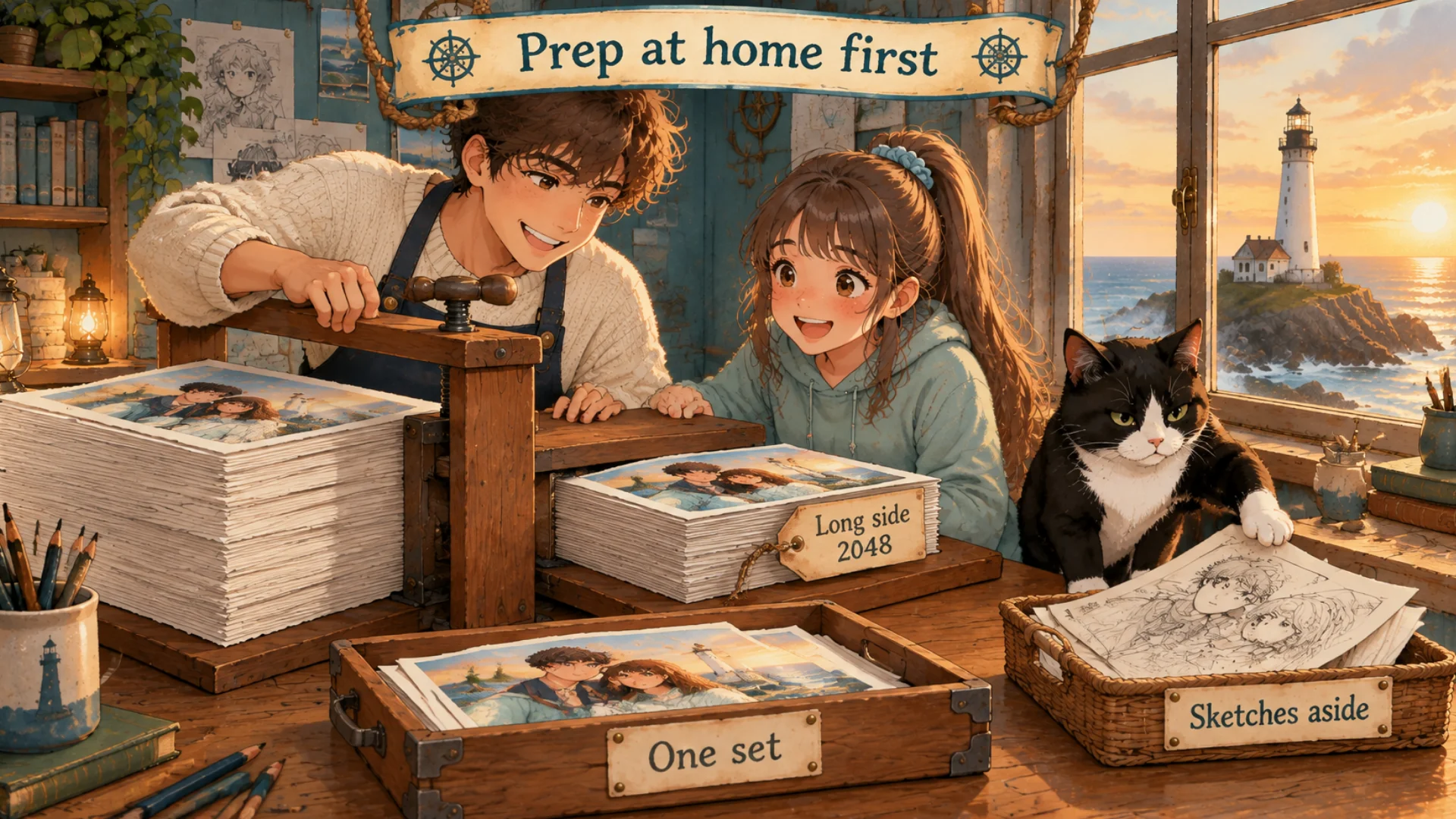
Shrink them all at once, and put the sketches to one side.
"I pressed Start and nothing happened?"
Labo: On the pod it's the same Kohya LoRA tab you saw at home. But first, the base model. I used AlbedoBase XL, a 6.46GB file. Uploading that from home takes ages, so I had the pod download it straight from Hugging Face. It came down at 38.7MB a second, about three minutes.
Then the three places I really got stuck:
① Paste didn't work. In the pod's Jupyter terminal, Ctrl+V often did nothing. Try Ctrl+Shift+V, or right-click and Paste.
② Start did nothing.
Student: Do I press this? I did, and nothing changed.
Labo: I thought it was broken too. Instead of pressing again, I typed nvidia-smi in the terminal. It shows how hard the NVIDIA card is working. Usage was up. It was already training; Kohya's screen just didn't show it.
③ A strange folder. The results had a folder ending in -state. It's a save point for continuing the same training. You don't need it for pictures, and it's big. What you want are the .safetensors files.
"I downloaded everything. Can I just press Stop?"
Labo: The most important part today, because I thought exactly that.
- Stop only turns the computer off. The storage stays, you keep paying for it, and your drawings stay too.
- Terminate deletes the whole pod. Billing stops, the drawings are gone.
Student: I don't want Dad's drawings left there. Where do I Terminate?
Labo: I asked "where?" twice myself. One order:
- Download the result files. In the Jupyter file list, right-click, Download.
- Check they open on your own computer.
- Terminate, from that pod's menu in the RunPod pod list.
Don't skip step 2. There's no undo.
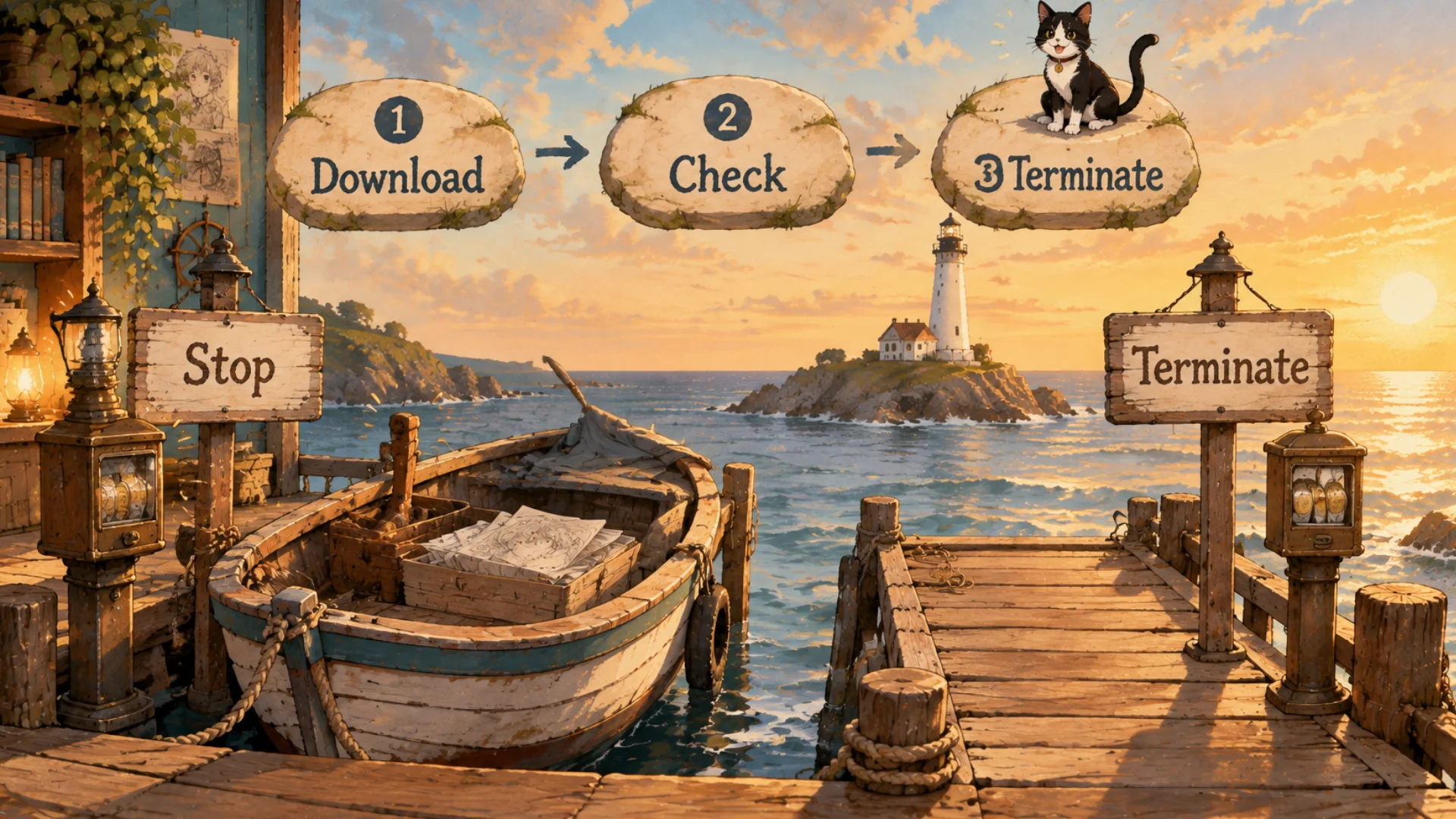
Switching the lamp off is not the same as returning the boat.
Student: Download, open, delete. Then at home I attach the LoRA in SwarmUI?
Labo: Yes. Want to know what happened when I first did?
Student: It came out great?
Labo: No. It drew something completely different from what I had in mind. Next time: why my first LoRA got it so wrong, and how to pick training images for a consistent character.
FAQ
Q. What's the difference between Stop and Terminate on RunPod?
Stop switches the pod off, but storage keeps costing money and your files stay. Terminate deletes the pod and everything in it. Download, check, then Terminate.
Q. I pressed Start in Kohya on RunPod and nothing happens.
Type nvidia-smi in the terminal. If GPU usage is up, it's already training.
Q. Is it safe to upload my drawings to RunPod?
I skipped Community Cloud and chose Secure Cloud, then terminated the pod when I was done.
What the artist did: chose to rent before buying, picked Secure Cloud, shrank the drawings to 2048, kept the sketches out, then downloaded, checked and terminated.
What the AI did: trained on a rented A5000 and left .safetensors files and a -state folder.
Official pages: RunPod (paid), XnConvert (free), Hugging Face, Kohya_ss on GitHub and SwarmUI on GitHub (open source, free). GitHub shares code in the open, so anyone can see what's inside before running it.
Written October 2026 from Labo's own records. Prices are from when I used RunPod and may differ now; screens may change too. The original Korean post: 런팟은 어떻게 써요? (Korean)
Lighthouse log. A borrowed boat is part of the voyage until you hand it back. Dropping anchor and returning the boat are two different things.
Keep reading
- Previous post: SDXL LoRA Training at 52 Seconds a Step? It Was 16GB of RAM
- More on LoRA · Kohya · RunPod · GPU
- All posts in Draw Manga with AI at Home


Comments
Post a Comment