First Kohya LoRA Done, Style Missing? Checking It in SwarmUI
Kohya LoRA training finished but the style is missing in SwarmUI? A run that ends does not mean the style showed up. I'm Labo, the lighthouse keeper. Today is a first LoRA training run in Kohya, from the boxes you fill in to the moment you check the result in SwarmUI, all on a computer at home. The thing that day taught me: a training run that finishes is not the same as a style that shows up.

Five files on the desk, and one question: is the style in there?
The student came back the day after we picked the practice drawings and wrote the captions. Her dad draws webtoons and never gets a day off, so she's learning this to help him draw his manga with AI at home, one tired step taken off his hands at a time. Today she opened Kohya and froze.
Student: Labo, there are so many boxes. Where does everything go?
"Kohya is open. Which tab do I go to?"
Student: There are tabs across the top. Dreambooth, LoRA, Finetune...
Labo: The LoRA tab. If you set things up in one of the tabs with a similar name, you get a different kind of training. I wandered around too, then came back saying, "Right, set it up under LoRA." Inside the LoRA tab, open Training and fill in just these:
- Base model: where the model file (.safetensors) you downloaded sits. My first run used AnyLoRA.
- Image folder: not the
5_lbtoon01folder itself, but the folder directly above it. Kohya looks inside for folders that start with5_. This is the one people get wrong most. - Output folder and output name: where the result lands, and what it's called.
- Epochs: how many rounds. I used 10.
- Network Rank / Alpha: the size of the LoRA. I used 32 / 16. For a first run, that's enough.
- Mixed precision: fp16. I once said "I can't find mixed precision" and hunted for ages. There are just that many boxes. Press Ctrl+F and search the page.
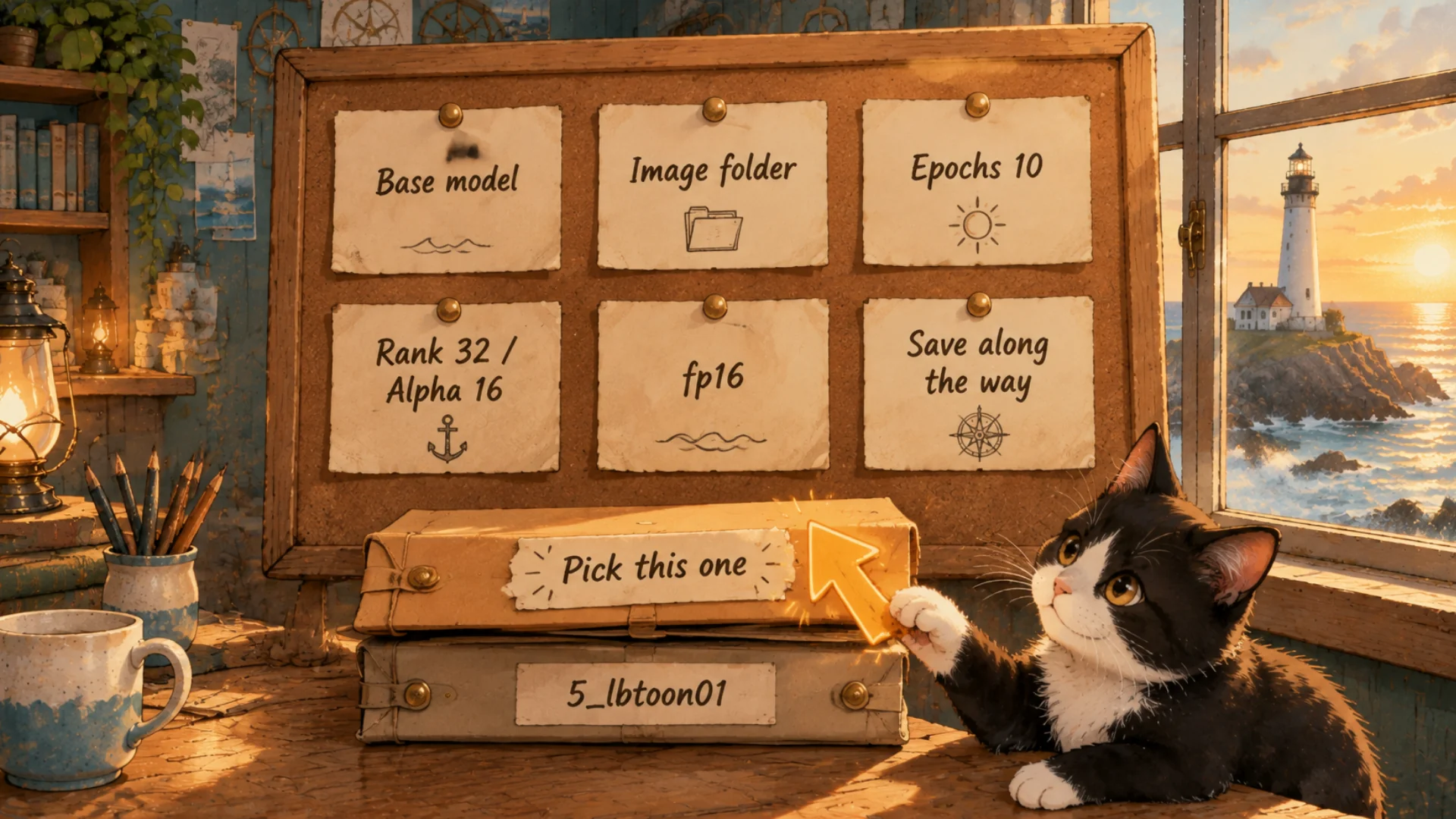
Six boxes. The folder one trips up almost everyone.
Student: It won't get the style in one go, will it? We fix it bit by bit instead of starting over?
Labo: That's right. So turn on saving along the way. It leaves a file every few rounds. Later you can pick whether round 3 or round 8 looks better. Run it too long and it can actually get worse.
"I pressed Start. What came out 56 minutes later?"
Labo: I ran my first training on my home computer with 75 drawings. 56 minutes. Last time I said one file drops out. In fact there were five .safetensors files in the output folder, because the saves along the way stay there too.
Student: So this is the LoRA? Where do I open it? Does it work in Clip Studio?
Labo: Not in Clip Studio. A LoRA is only read by programs that generate pictures. And I had one more rule: nothing leaves my computer. In a Korean webtoon studio, unfinished drawings are the work itself, so I didn't want them on anyone else's server. That's how I ended up with SwarmUI.
"What about SwarmUI?"
Labo: It's button-based, so it's friendly for a first look, and it runs only on your own computer. Watch two things while installing:
- .NET 8 installs along with it. SwarmUI runs on top of it. If it asks, say yes.
- It asks who will use it. Choose Just Yourself On This PC, so it only opens on this machine. That's what I chose.
After that, four steps:
- Put the base model file in SwarmUI's
Models\Stable-Diffusionfolder. - Put the LoRA file Kohya made in the
Models\Lorafolder. - On the Generate screen, pick the base model, then click your LoRA in the LoRA list below to attach it.
- Write the trigger word at the very front of the prompt and press Generate.
Student: Don't I have to merge the LoRA into the base model?
Labo: No. You only attach it. Attached, you can swap LoRAs or turn the strength to 0.5 or 0.8. Merge them and you lose that. Later, when you're trying to keep a consistent character across panels, you'll want that freedom.
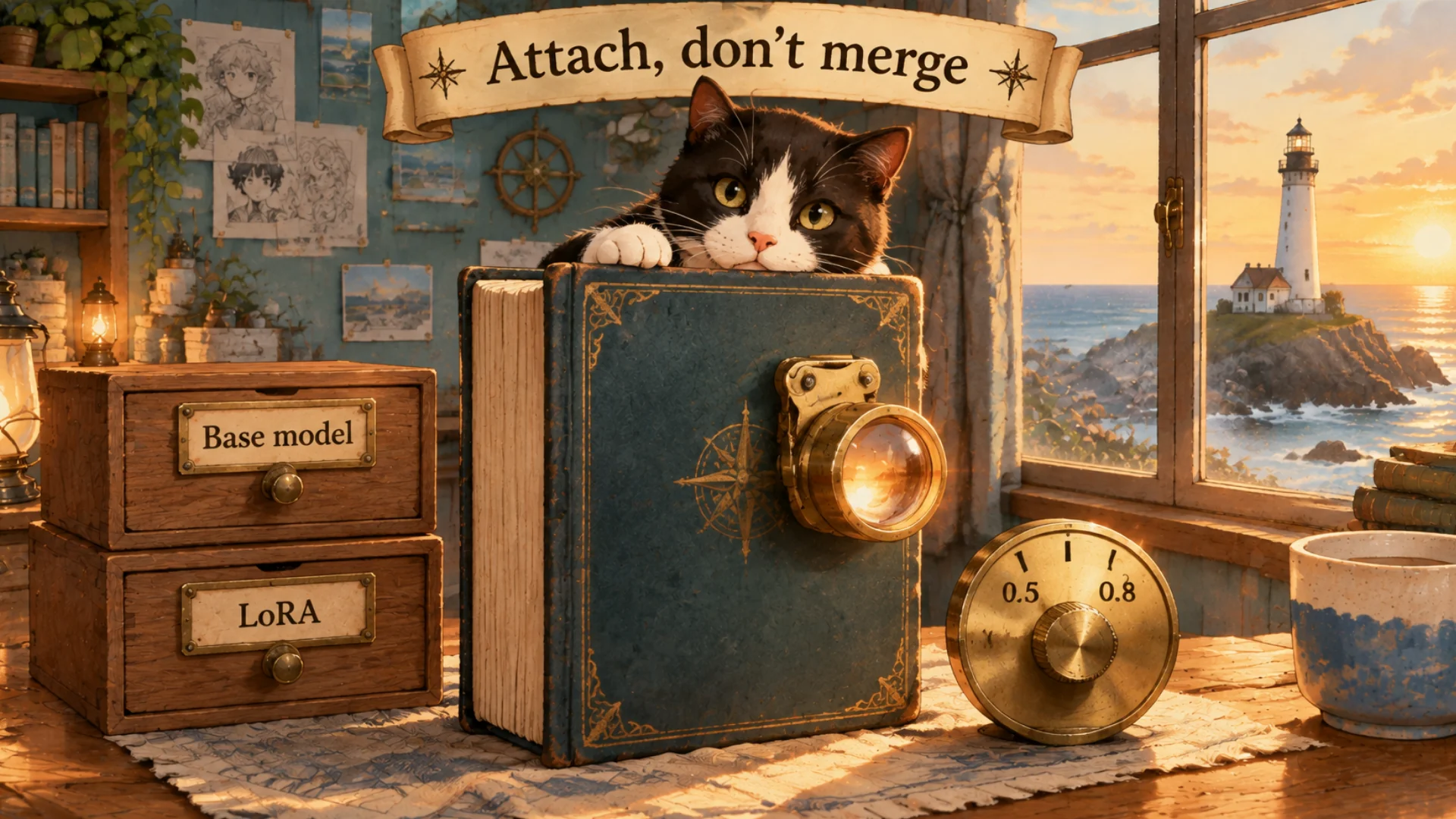
A lens you can clip on and take off, not glue.
"Training finished. So is that the style?"
Labo: Then I attached my LoRA and made nine pictures. They were... pretty. A few had a little of the color. But the thing I'd been waiting for, the style I was teaching, wasn't there. Just an AI picture I felt I'd seen somewhere before. The 56 minutes had almost all gone for nothing.
Student: Were the settings wrong?
Labo: The settings were right. What went wrong came before them. Kohya told me "finished," and that was true. It just didn't mean the style had arrived.
One more note: when SwarmUI draws, it uses ComfyUI inside as its engine. Buttons in front, ComfyUI behind. I'd thought "ComfyUI won't run on my computer," and from that day I started moving over to it.
Student: So what came before the settings?
Labo: Next time: 56 minutes of training, so why doesn't the style come out?
FAQ
Q. Where do I set up LoRA training in Kohya?
The LoRA tab, then Training. For the image folder, choose the folder directly above the one that starts with 5_.
Q. Where do I use a LoRA made with Kohya?
In a program that generates pictures, like SwarmUI or ComfyUI. Put it in the Lora folder and attach it to a base model; don't merge it. It doesn't work in Clip Studio.
Q. What should I choose when installing SwarmUI?
Just Yourself On This PC, so it only opens on your own computer.
What the artist did: chose the base model, the folder, the rounds and the size, pressed Start, then looked at all nine pictures and said honestly, "that isn't the style."
What the AI did: trained for 56 minutes and left five files. Whether the style is in them, only the artist's eye can tell.
Official pages: Kohya_ss on GitHub (open source, free) and SwarmUI on GitHub (open source, free; the Windows install steps are on the first page). GitHub is a site where code is shared in the open, so anyone can see what's inside before running it.
Written October 2026. The numbers (75 drawings, 56 minutes, five files, Rank 32 / Alpha 16, 10 epochs) are from my first run. The illustrations and the trigger word were made new for practice; no real artwork is used. Kohya and SwarmUI update often, so box names and places may differ a little. The original Korean post: kohya 학습과 LoRA (Korean)
Lighthouse log. The lamp being lit and the ship seeing it are two different things. The first file dropping out is the most exciting moment; opening it for the first time is the most honest one.
Keep reading
- Previous post: How Many Drawings to Train a LoRA? Picks, Captions, Trigger
- More on LoRA · Kohya
- All posts in Draw Manga with AI at Home


Comments
Post a Comment